

.thumb.png.aa514d2889bb7b38800ae26d98aeb4b1.png)
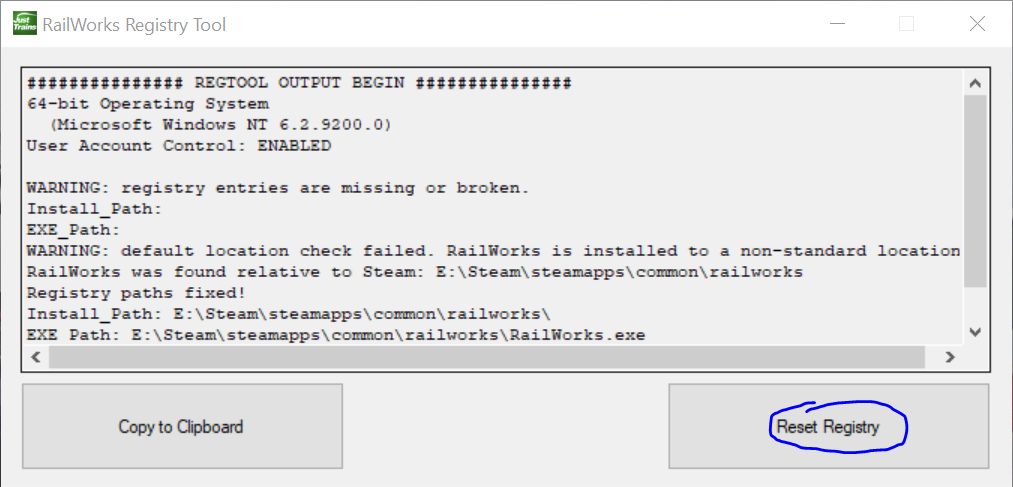
Om uw RailWorks-registervermelding te herstellen, download en voer deze tool uit.
Voer de tool uit en selecteer ‘RailWorks Registry Fix’.
(Let op: gebruikers van Windows 7 en Vista moeten met de rechtermuisknop op het bestand klikken en ‘Als administrator uitvoeren’ selecteren om ervoor te zorgen dat de tool correct werkt.)
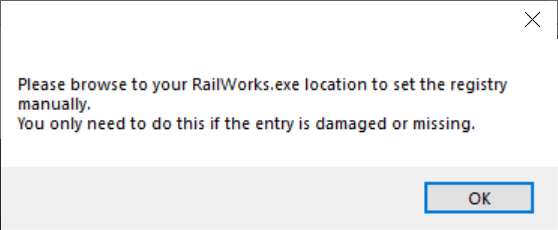
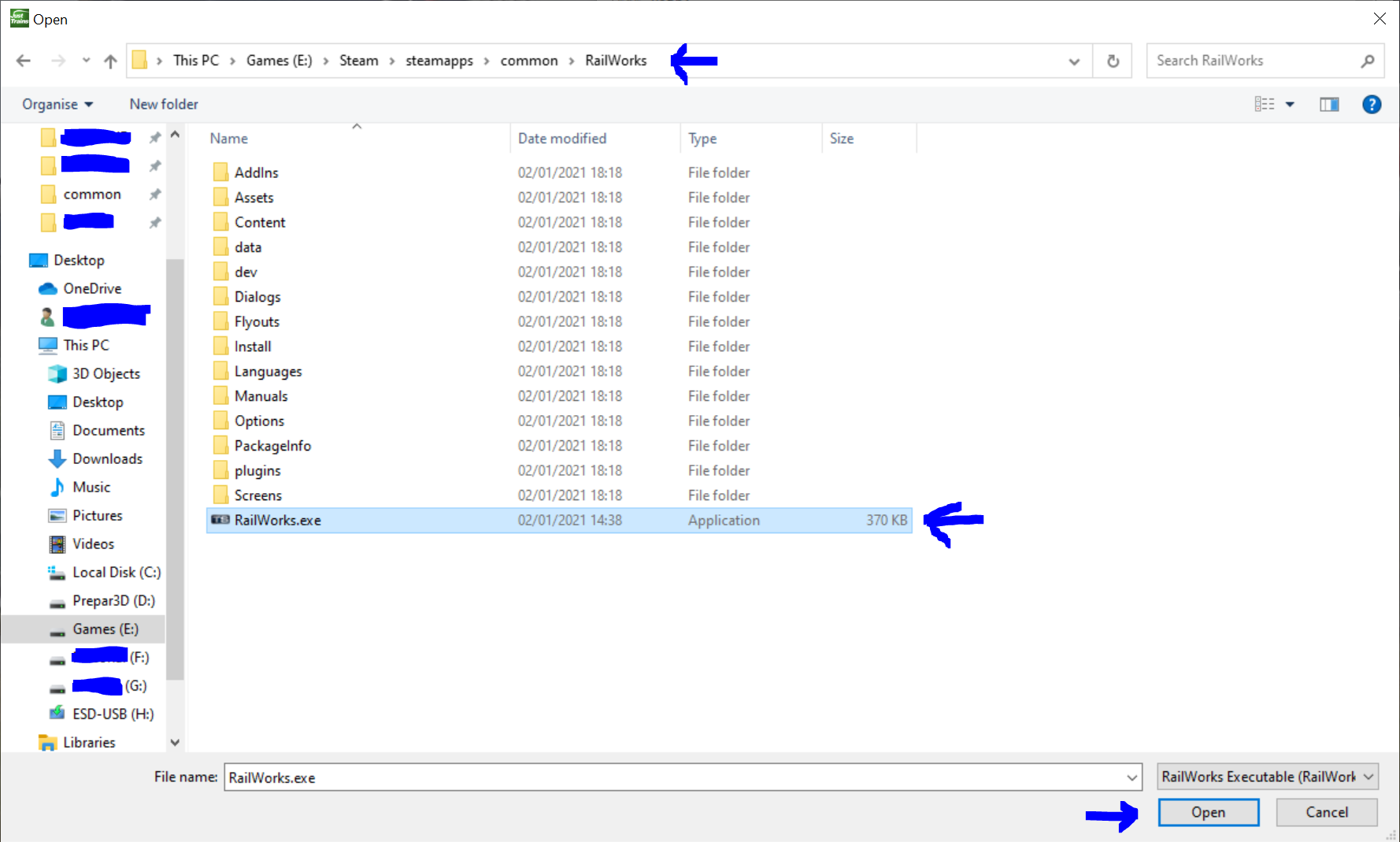
Blader naar het bestand RailWorks.exe, dat meestal te vinden is in C:\Program.
Dubbelklik op het .exe-bestand om de registervermelding te herstellen.
Na het openen moet u uw railworks.exe-bestand lokaliseren.
To repair your RailWorks registry entry, please download and run this tool.
Launch the tool and select “RailWorks Registry Fix.”
(Note: Windows 7 and Windows Vista users should right-click the file and choose “Run as Administrator” to ensure the tool operates correctly.)
Browse to the RailWorks.exe file, which is typically located in C:\Program Files.
Double-click the .exe file to repair the registry entry.
Once the tool has opened, you will need to locate your RailWorks.exe file.
Je mag alleen een beoordeling geven als je het bestand hebt gedownload.
Er zijn geen reviews te tonen.