
De Limburgse Spoorlijnen
De Limburgse Spoorlijnen
Scenario’s:
Bekijk de categorieën rechts om de scenario’s te vinden die passen bij jouw versie van de route. Let op: wij ondersteunen alleen de laatste versies van de routes. Eerdere scenario’s blijven wel beschikbaar, maar worden niet officieel ondersteund.
Momenteel nog niet bij ons te downloaden:
De route is nog niet beschikbaar op onze site, maar kan gedownload worden via een andere community. Klik hier om naar het topic te gaan.
1 bestand
-
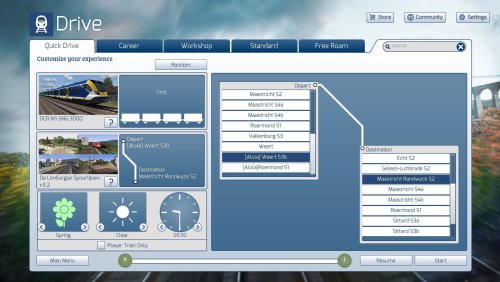
Met de update van Spoorlijnen Zuid Limburg naar "De Limburgse Spoorlijnen" kregen we de mogelijkheid om van Weert naar Maastricht of Heerlen te rijden. Ik merkte dat je in Quick Drive niet van Weert naar Maastricht kon, ook was het niet mogelijk om van Roermond naar Heerlen te rijden. Deze Quick Drive geeft je de mogelijkheid om van Weert naar Maastricht Randwyck te rijden en om van Roermond naar Heerlen te rijden.
Je kan deze Quick Drive installeren door de Utillties.exe te gebruiken die je in de Railworks map kan vinden. Klik op "Install", selecteer dit .rwp bestand en dan kun je Train Simulator starten.
Ik wens jou veel plezier met deze Quick Drive!- 6 Downloads
Bijgewerkt